> ## Documentation Index
> Fetch the complete documentation index at: https://docs.kubestacks.com/llms.txt
> Use this file to discover all available pages before exploring further.
# Custom resources
> Every kind the cluster serves, custom resources included, found through discovery and shown with the columns, status and actions that matter.
KubeStacks has a page of its own for Kubernetes' common kinds. Every other kind the cluster serves, custom resources and Kubernetes' less common kinds alike, is found through API discovery and works the same way: a list, a status, a detail panel, YAML, create, edit and delete.
 ## Finding a kind
Every kind, like `kubectl api-resources`. In the sidebar, at the bottom.
The kinds you opened last in this cluster, and the ones you pinned.
⌘K finds any kind by name, short name or group.
⌘ is Ctrl on Windows and Linux. The palette's search also knows "CRDs", so typing it finds **API resources**.
### API resources
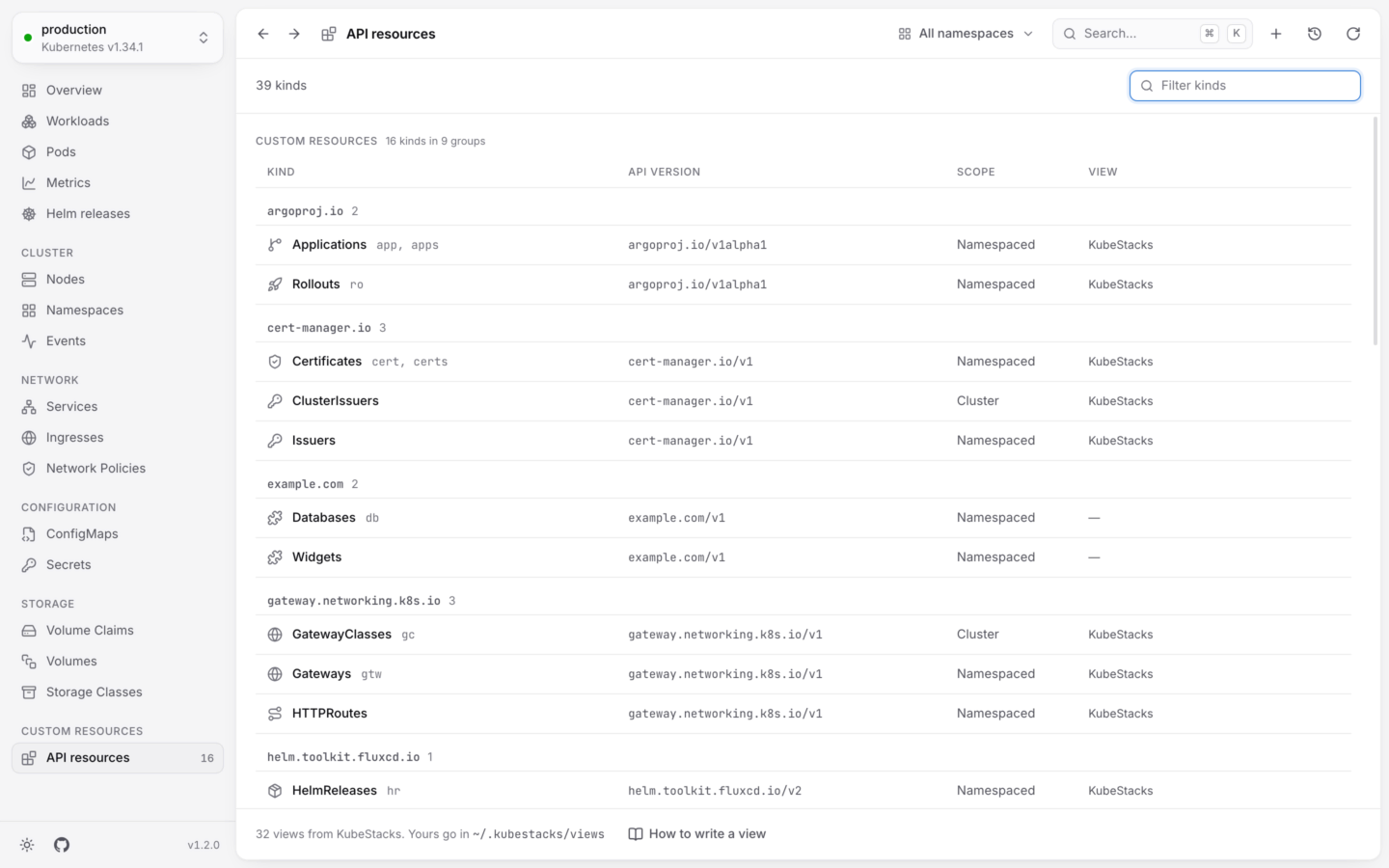
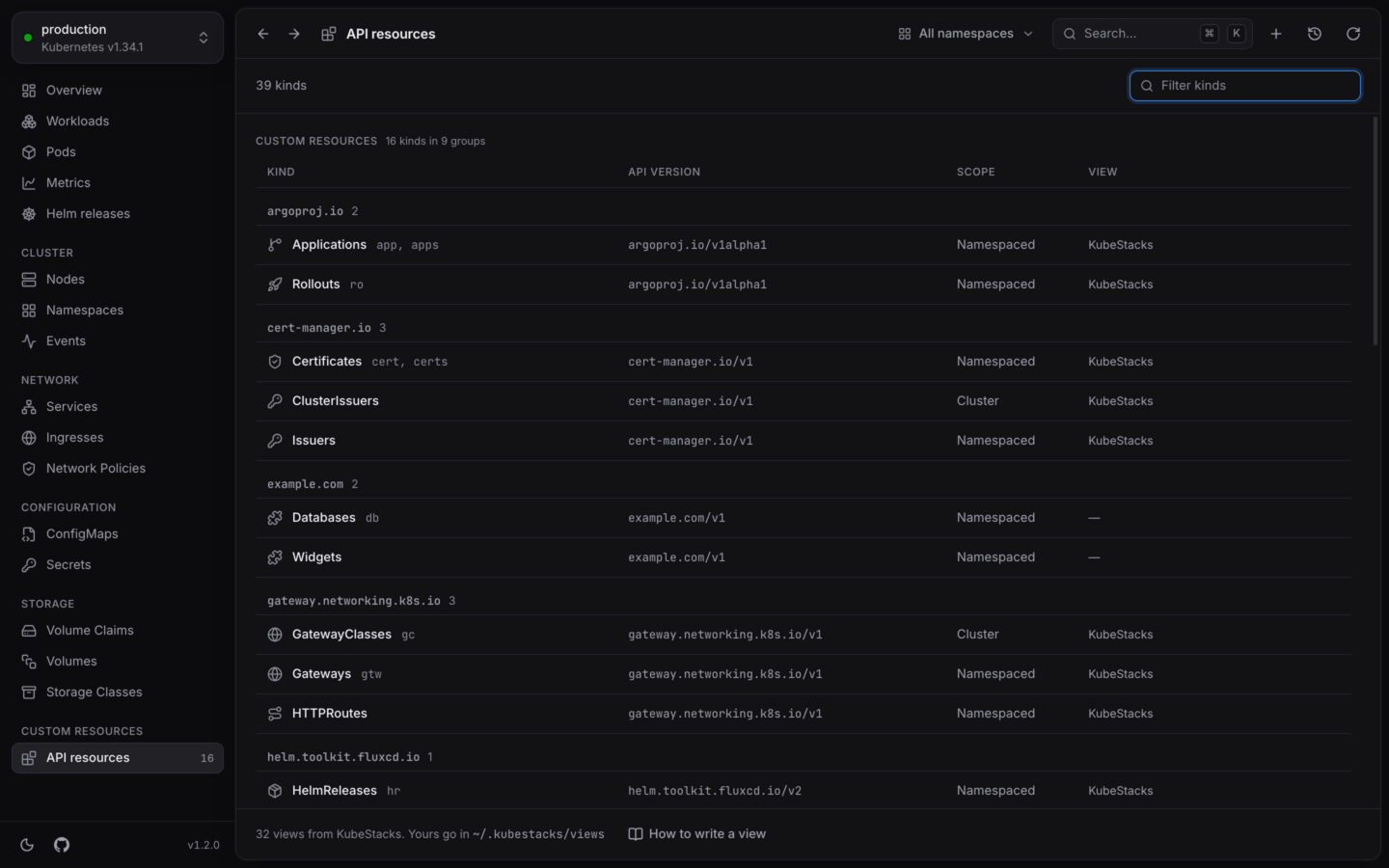
**API resources** lists every kind the cluster serves in two tables: **Custom resources**, grouped by API group, and **Kubernetes**. For each kind you see its short names, **API version**, **Scope** (namespaced or cluster-wide) and which **View** it uses, if any. **Filter kinds** matches names, short names, plurals and groups.
## Finding a kind
Every kind, like `kubectl api-resources`. In the sidebar, at the bottom.
The kinds you opened last in this cluster, and the ones you pinned.
⌘K finds any kind by name, short name or group.
⌘ is Ctrl on Windows and Linux. The palette's search also knows "CRDs", so typing it finds **API resources**.
### API resources
**API resources** lists every kind the cluster serves in two tables: **Custom resources**, grouped by API group, and **Kubernetes**. For each kind you see its short names, **API version**, **Scope** (namespaced or cluster-wide) and which **View** it uses, if any. **Filter kinds** matches names, short names, plurals and groups.
 KubeStacks looks at what the cluster serves again every minute, so a CRD you just installed shows up on its own.
### A short sidebar, however many CRDs
A cluster can have hundreds of custom resource definitions, so the sidebar doesn't list them all. Its **Custom resources** section keeps the five kinds you opened most recently in this cluster, and **API resources**, with a count of every custom kind the cluster serves.
To keep a kind at hand, **pin** it: use the pin button on its list, or next to it in **API resources**. Pinned kinds get a **Pinned** section in the sidebar, in every cluster that serves them.
## What you see
### Columns
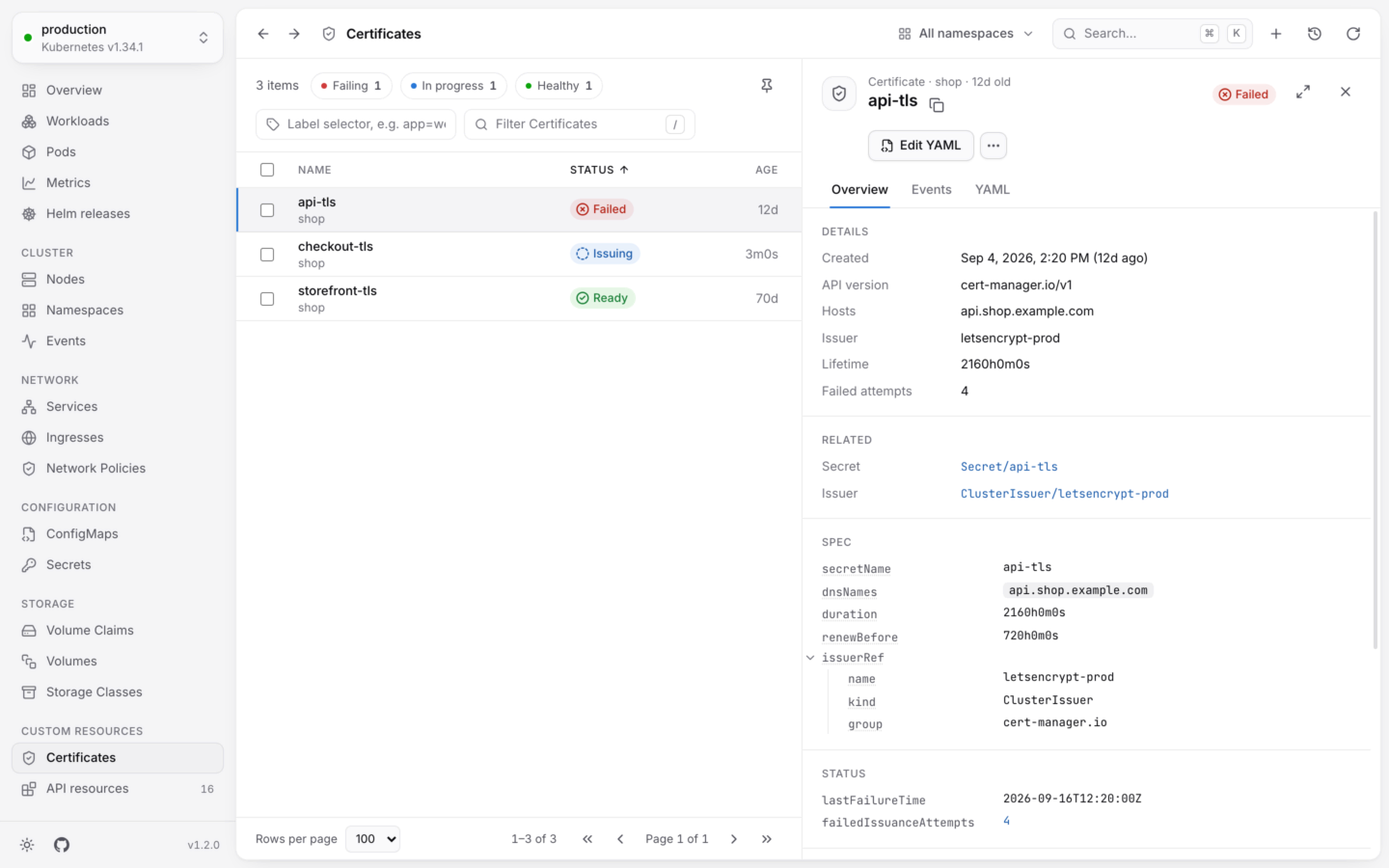
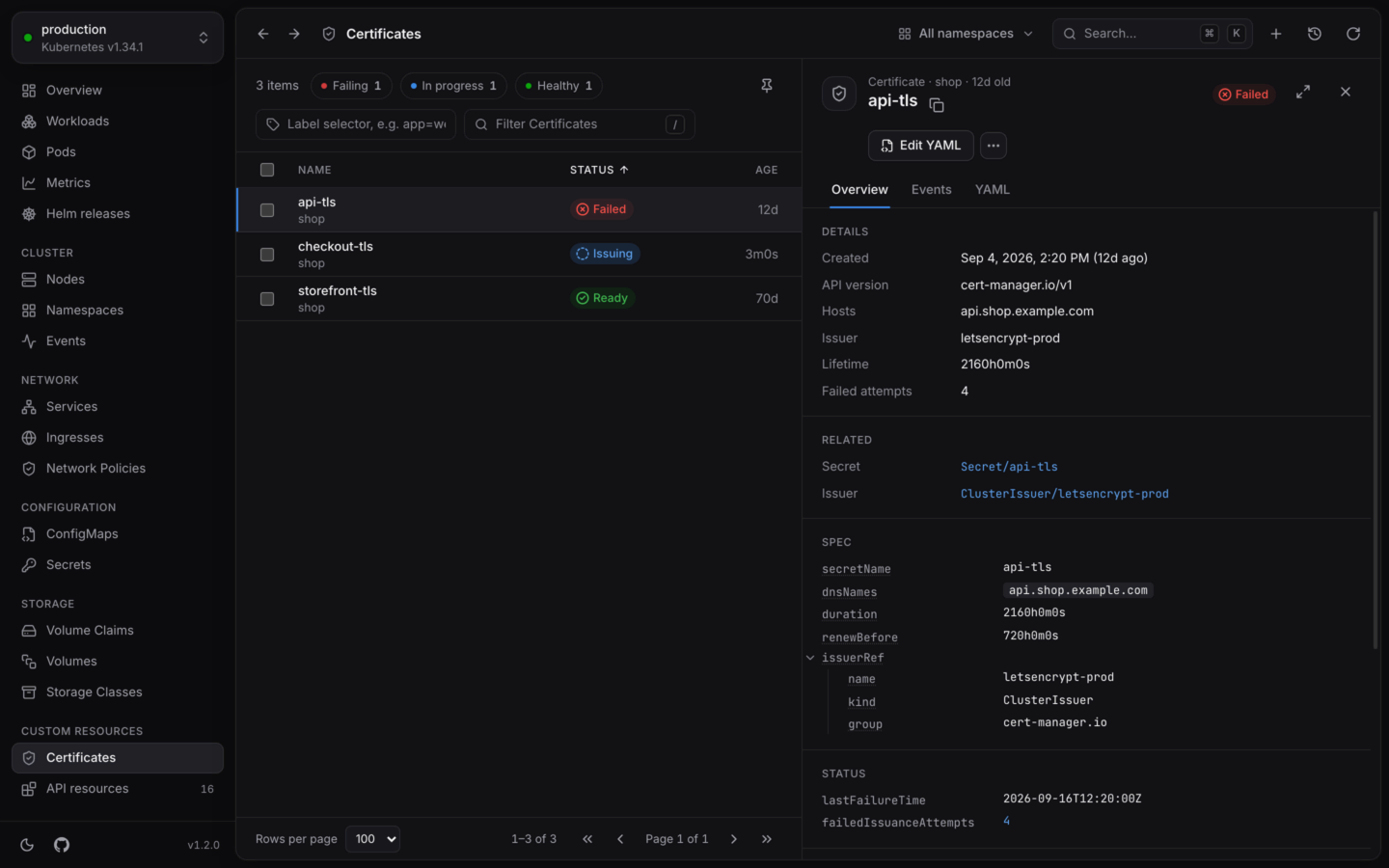
A kind's list has the columns the API server prints for it, the same ones `kubectl get` shows (a CRD's printer columns). A [view](#views) can replace them with better ones.
### Status
Each object gets a status read from the conventions most controllers follow, checked in this order:
Terminating
`spec.suspend` gives Suspended, and `spec.paused` gives Paused.
A `Stalled` condition that's `True` (as [kstatus](https://github.com/kubernetes-sigs/cli-utils/tree/master/pkg/kstatus) defines it) is critical, labeled with its reason.
The first of `Ready`, `Available`, `Healthy`, `Programmed`, `Established`, `Succeeded` or `Accepted` that it has. If it's `False`, the object is critical, labeled with its reason, unless the object says it's still working on it.
A `Reconciling` or `Issuing` condition that's `True`, or a spec the controller hasn't caught up with yet (`status.observedGeneration` behind `metadata.generation`), is progressing: Reconciling, or the condition's reason.
`True` is healthy, labeled with the condition's name, like Ready. `Unknown` is progressing.
Failing that, an Argo-style `status.health.status`, or `status.phase` or `status.state`, read by its words: "Failed" or "Degraded" are critical, "Pending" or "Provisioning" are progressing, "Running" or "Bound" are healthy, and so on.
Objects with none of these show Unknown, and are never sorted above real problems. A view's status rules take over from all of this. See [Health and status](/explore/health) for how statuses sort and filter.
### The detail panel
Click an object to open it. Its **Overview** has its details, its conditions, the objects it's related to (when a view says), and its **Spec** and **Status** as trees you can fold.
On Kubernetes 1.27 and later, KubeStacks reads each kind's schema from the cluster's OpenAPI documents, and explains every field when you hover it. Custom resources publish their CRD's schema there too, so their fields are explained the same way.
## What you can do
Custom resources are first-class:
* **Create** them from YAML (⌘N in the desktop app), checked by the cluster before anything is created. The cluster has to serve a kind before you can create objects of it, so create a new CRD on its own first. See [Create from YAML](/changes/create).
* **Edit** their YAML or labels. Edits are validated by the cluster against the CRD's schema with a dry run, and shown as a diff before they're saved. See [Edit YAML](/changes/yaml).
* **Delete** them, one or many at once. Deleting a CustomResourceDefinition asks you to type its name first, since it deletes every object of that kind.
* **Scale** kinds that have the scale subresource, like Argo Rollouts, the same way as a Deployment.
* Use the **actions** a view adds, like Flux's **Reconcile** or Argo CD's **Sync**.
Every change checks your permissions first, and shows the equivalent `kubectl` command, written like `kubectl delete certificate.cert-manager.io/api-tls -n shop --context production`.
## Views
A **view** tells KubeStacks more about a kind: which columns matter, how to tell whether an object is healthy, which facts to show, which objects it relates to, and which changes people make to it. Views are YAML and data only, so they can't run code.
KubeStacks ships views for popular projects, and you can write your own. **API resources** shows which view each kind uses, and lists any problem with your views at the top: a view with a problem isn't used at all, and the message says where it is.
cert-manager, Argo CD, Flux, Gateway API, Karpenter, KEDA and more.
Better columns, status and actions for your own kinds, in a few lines.
This documentation is built and hosted on [Mintlify](https://mintlify.com), a developer documentation platform.
KubeStacks looks at what the cluster serves again every minute, so a CRD you just installed shows up on its own.
### A short sidebar, however many CRDs
A cluster can have hundreds of custom resource definitions, so the sidebar doesn't list them all. Its **Custom resources** section keeps the five kinds you opened most recently in this cluster, and **API resources**, with a count of every custom kind the cluster serves.
To keep a kind at hand, **pin** it: use the pin button on its list, or next to it in **API resources**. Pinned kinds get a **Pinned** section in the sidebar, in every cluster that serves them.
## What you see
### Columns
A kind's list has the columns the API server prints for it, the same ones `kubectl get` shows (a CRD's printer columns). A [view](#views) can replace them with better ones.
### Status
Each object gets a status read from the conventions most controllers follow, checked in this order:
Terminating
`spec.suspend` gives Suspended, and `spec.paused` gives Paused.
A `Stalled` condition that's `True` (as [kstatus](https://github.com/kubernetes-sigs/cli-utils/tree/master/pkg/kstatus) defines it) is critical, labeled with its reason.
The first of `Ready`, `Available`, `Healthy`, `Programmed`, `Established`, `Succeeded` or `Accepted` that it has. If it's `False`, the object is critical, labeled with its reason, unless the object says it's still working on it.
A `Reconciling` or `Issuing` condition that's `True`, or a spec the controller hasn't caught up with yet (`status.observedGeneration` behind `metadata.generation`), is progressing: Reconciling, or the condition's reason.
`True` is healthy, labeled with the condition's name, like Ready. `Unknown` is progressing.
Failing that, an Argo-style `status.health.status`, or `status.phase` or `status.state`, read by its words: "Failed" or "Degraded" are critical, "Pending" or "Provisioning" are progressing, "Running" or "Bound" are healthy, and so on.
Objects with none of these show Unknown, and are never sorted above real problems. A view's status rules take over from all of this. See [Health and status](/explore/health) for how statuses sort and filter.
### The detail panel
Click an object to open it. Its **Overview** has its details, its conditions, the objects it's related to (when a view says), and its **Spec** and **Status** as trees you can fold.
On Kubernetes 1.27 and later, KubeStacks reads each kind's schema from the cluster's OpenAPI documents, and explains every field when you hover it. Custom resources publish their CRD's schema there too, so their fields are explained the same way.
## What you can do
Custom resources are first-class:
* **Create** them from YAML (⌘N in the desktop app), checked by the cluster before anything is created. The cluster has to serve a kind before you can create objects of it, so create a new CRD on its own first. See [Create from YAML](/changes/create).
* **Edit** their YAML or labels. Edits are validated by the cluster against the CRD's schema with a dry run, and shown as a diff before they're saved. See [Edit YAML](/changes/yaml).
* **Delete** them, one or many at once. Deleting a CustomResourceDefinition asks you to type its name first, since it deletes every object of that kind.
* **Scale** kinds that have the scale subresource, like Argo Rollouts, the same way as a Deployment.
* Use the **actions** a view adds, like Flux's **Reconcile** or Argo CD's **Sync**.
Every change checks your permissions first, and shows the equivalent `kubectl` command, written like `kubectl delete certificate.cert-manager.io/api-tls -n shop --context production`.
## Views
A **view** tells KubeStacks more about a kind: which columns matter, how to tell whether an object is healthy, which facts to show, which objects it relates to, and which changes people make to it. Views are YAML and data only, so they can't run code.
KubeStacks ships views for popular projects, and you can write your own. **API resources** shows which view each kind uses, and lists any problem with your views at the top: a view with a problem isn't used at all, and the message says where it is.
cert-manager, Argo CD, Flux, Gateway API, Karpenter, KEDA and more.
Better columns, status and actions for your own kinds, in a few lines.
This documentation is built and hosted on [Mintlify](https://mintlify.com), a developer documentation platform.