> ## Documentation Index
> Fetch the complete documentation index at: https://docs.kubestacks.com/llms.txt
> Use this file to discover all available pages before exploring further.
# Port forwarding
> Reach a pod or a service from your own computer on localhost, like kubectl port-forward, and keep track of every forward from the header.
Desktop app only
Forward a port on your computer to a pod or a service, like `kubectl port-forward`, to open an admin page, query a database or call an API that isn't exposed. Forwards keep running while you work, listed in the header until you stop them.
 ## Start a forward
A running pod, or a service that selects pods.
From the object's actions, its right-click menu, or the command palette (⌘K, or CtrlK on Windows and Linux).
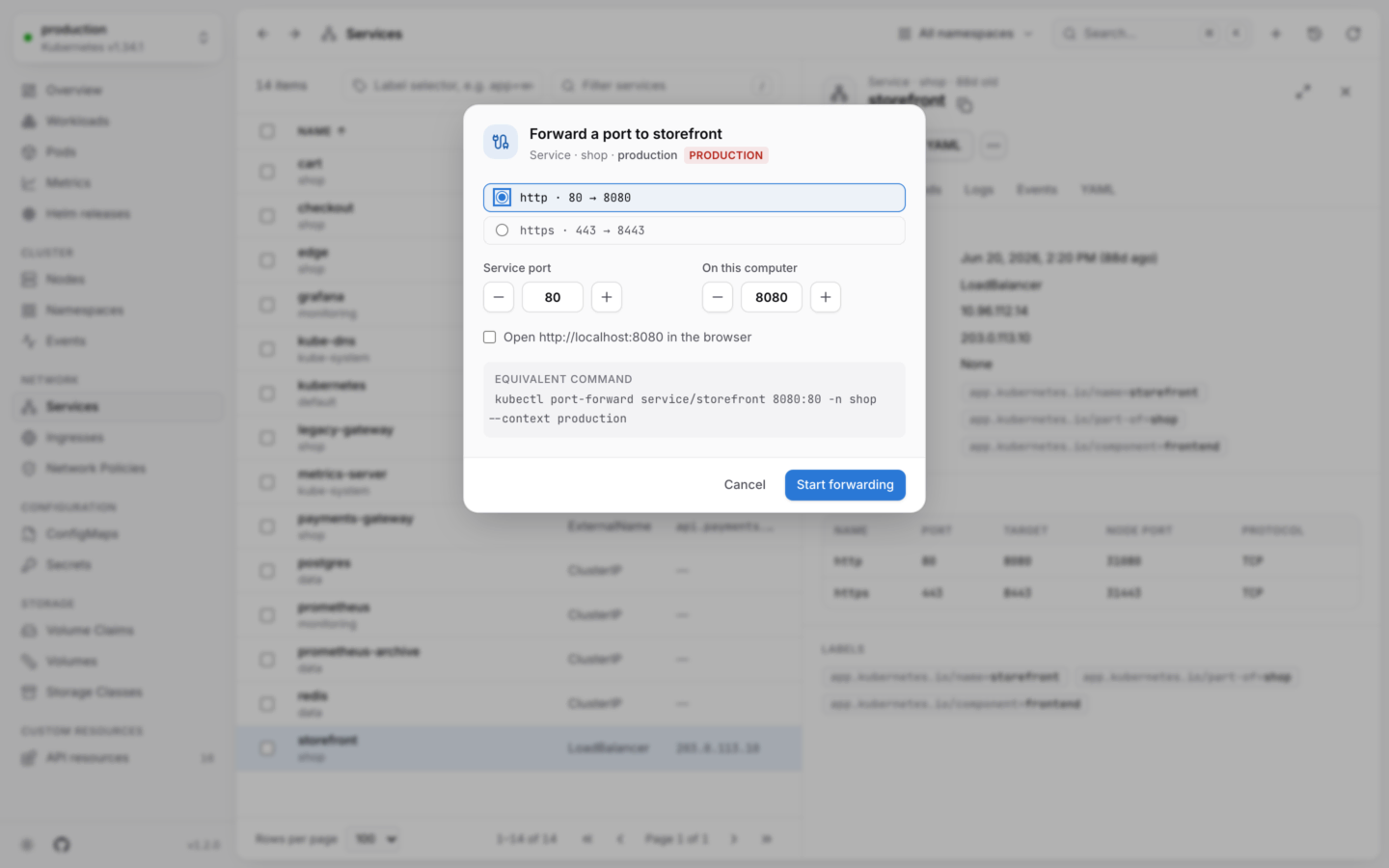
Pick one of the ports it declares, or type another:
* For a pod: each container's ports, as *container* · *name* · *port*.
* For a service: its ports, as *name* · *port* → *target port*.
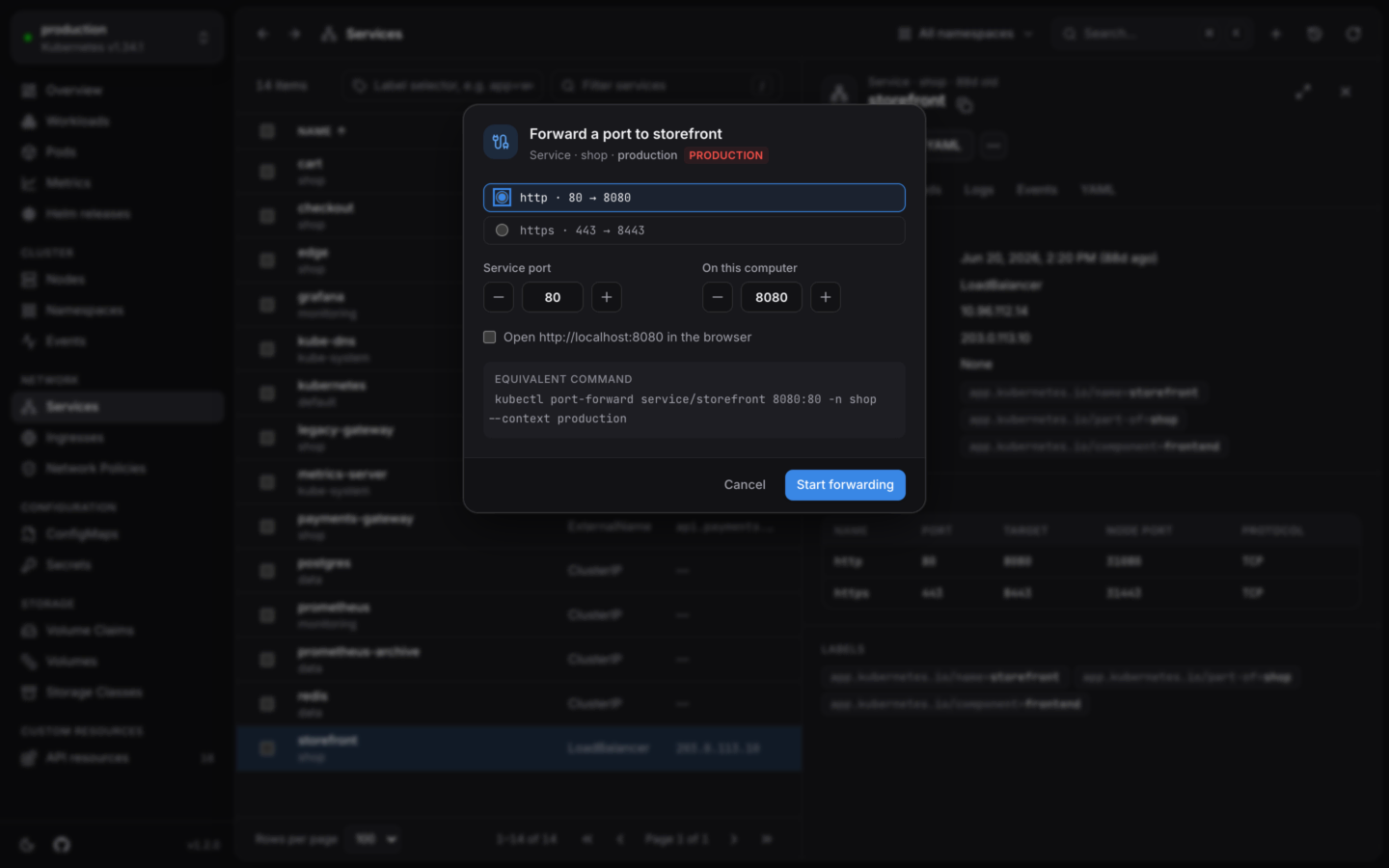
The local port, **On this computer**, starts as the same number. Ports below 1024 need special rights on many systems, so for those it starts 8000 higher: port 80 becomes 8080, 443 becomes 8443. Change it if you like.
Tick **Open http\://localhost:N in the browser** to open it right away, then choose **Start forwarding**.
The equivalent command is shown in the dialog:
```bash theme={"theme":{"light":"github-light","dark":"github-dark-default"}}
kubectl port-forward service/web 8080:80 -n shop --context dev
```
## Your forwards
While any forward runs, a **Port forwards** button in the header shows how many. It lists the forwards of every cluster, each with:
* Its address, `localhost:8080`. Choose it to open it in your browser, or **Copy address**.
* Where it goes: the service, the pod and the pod's port, with the namespace and cluster.
* How many connections it has, and any error.
* **Stop forwarding**.
Forwards stop when you stop them, and when you quit KubeStacks.
## How it works
* **Only on your computer.** Forwards listen on `127.0.0.1`, so nothing else on your network can reach them.
* **To a service's pod.** A forward to a service goes to the first of its pods that's ready. A named target port is looked up in the pod's containers. The pod is picked when the forward starts: if it's replaced, start the forward again.
* **Port in use.** If the local port is taken, the dialog says so ("Port 8080 on this computer can't be used") and you pick another.
* **Read-only clusters.** Port forwards don't change the cluster, so they work in [read-only](/changes/read-only) clusters too.
**In your cluster:** port forwarding isn't offered when KubeStacks runs in your cluster, because there's no computer of yours to forward to. Use the desktop app, or `kubectl port-forward`.
Forwarding needs `create` on `pods/portforward` in the namespace. See [Permissions](/clusters/permissions).
A terminal inside the container, or a debug container with tools.
Services, ingresses and network policies.
This documentation is built and hosted on [Mintlify](https://mintlify.com), a developer documentation platform.
## Start a forward
A running pod, or a service that selects pods.
From the object's actions, its right-click menu, or the command palette (⌘K, or CtrlK on Windows and Linux).
Pick one of the ports it declares, or type another:
* For a pod: each container's ports, as *container* · *name* · *port*.
* For a service: its ports, as *name* · *port* → *target port*.
The local port, **On this computer**, starts as the same number. Ports below 1024 need special rights on many systems, so for those it starts 8000 higher: port 80 becomes 8080, 443 becomes 8443. Change it if you like.
Tick **Open http\://localhost:N in the browser** to open it right away, then choose **Start forwarding**.
The equivalent command is shown in the dialog:
```bash theme={"theme":{"light":"github-light","dark":"github-dark-default"}}
kubectl port-forward service/web 8080:80 -n shop --context dev
```
## Your forwards
While any forward runs, a **Port forwards** button in the header shows how many. It lists the forwards of every cluster, each with:
* Its address, `localhost:8080`. Choose it to open it in your browser, or **Copy address**.
* Where it goes: the service, the pod and the pod's port, with the namespace and cluster.
* How many connections it has, and any error.
* **Stop forwarding**.
Forwards stop when you stop them, and when you quit KubeStacks.
## How it works
* **Only on your computer.** Forwards listen on `127.0.0.1`, so nothing else on your network can reach them.
* **To a service's pod.** A forward to a service goes to the first of its pods that's ready. A named target port is looked up in the pod's containers. The pod is picked when the forward starts: if it's replaced, start the forward again.
* **Port in use.** If the local port is taken, the dialog says so ("Port 8080 on this computer can't be used") and you pick another.
* **Read-only clusters.** Port forwards don't change the cluster, so they work in [read-only](/changes/read-only) clusters too.
**In your cluster:** port forwarding isn't offered when KubeStacks runs in your cluster, because there's no computer of yours to forward to. Use the desktop app, or `kubectl port-forward`.
Forwarding needs `create` on `pods/portforward` in the namespace. See [Permissions](/clusters/permissions).
A terminal inside the container, or a debug container with tools.
Services, ingresses and network policies.
This documentation is built and hosted on [Mintlify](https://mintlify.com), a developer documentation platform.