> ## Documentation Index
> Fetch the complete documentation index at: https://docs.kubestacks.com/llms.txt
> Use this file to discover all available pages before exploring further.
# Networking
> Services, ingresses and network policies: how traffic reaches your pods, and what's allowed to talk to what.
The sidebar's **Network** section has three lists. Like every list, they follow the [namespace](/clusters/namespaces) you picked.
| List | Shortcut | Columns |
| - | - | - |
| **Services** | G V, or ⌘4 in the desktop app | Type, Cluster IP, External, Ports |
| **Ingresses** | G I | Class, Hosts, Address |
| **Network Policies** | From the sidebar or ⌘K | Pod selector, Policy types |
On Windows and Linux, use Ctrl where these pages say ⌘.
These kinds have no health of their own, so their lists sort by name. To see whether a service has pods behind it, open it.
## Services
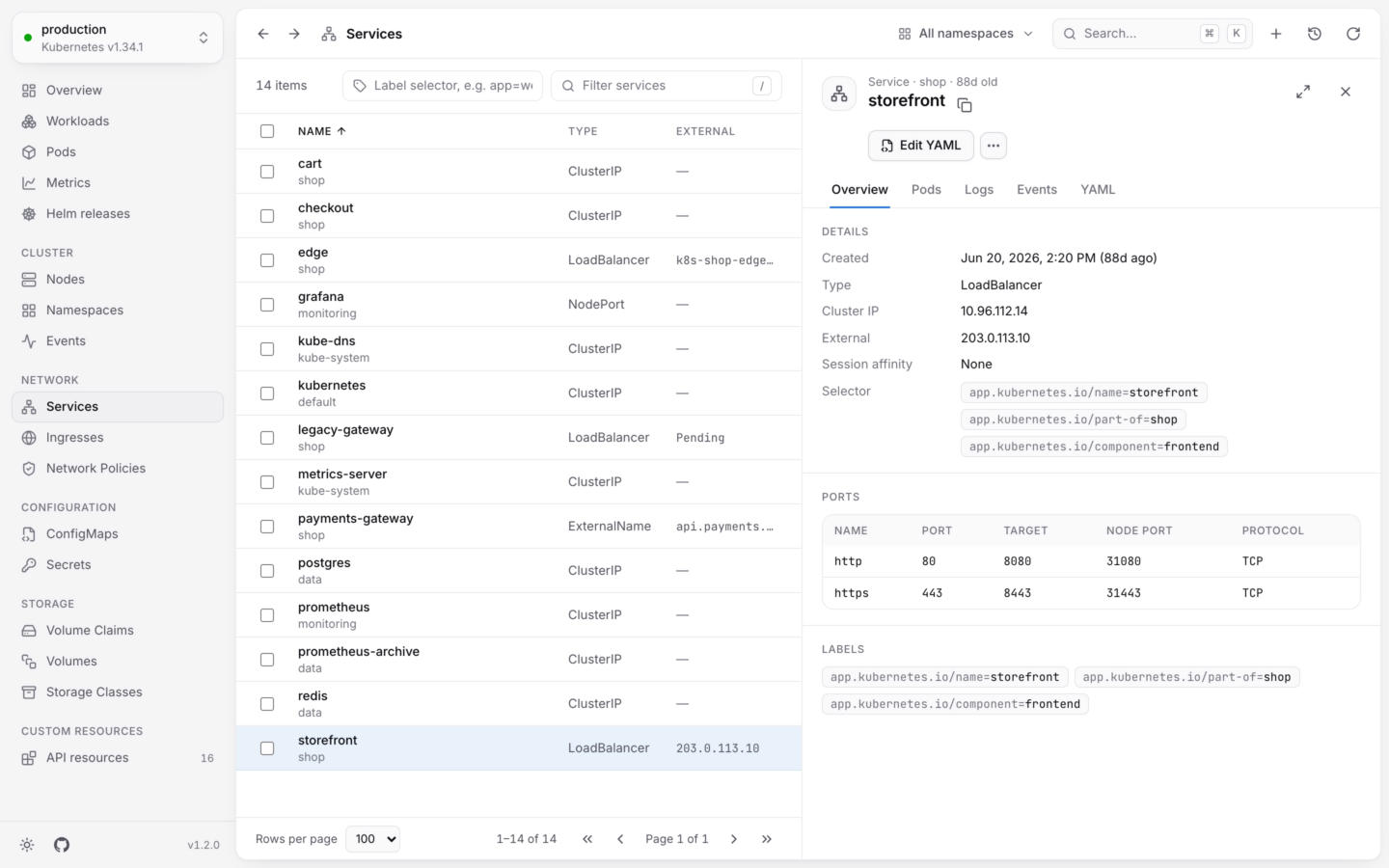
 Open a service to see:
* **Details**: its type, cluster IP, external address, session affinity and selector.
* **Ports**: each port's name, port, target, node port and protocol.
* **Pods**: the pods its selector matches, failing ones first. If this list is empty, the service has nowhere to send traffic.
* **Logs**: the logs of every pod behind it, merged in the order they were written. Handy for following a request across replicas. See [Logs](/debug/logs).
* **Events** and **YAML**.
### Reach a service from your computer
Desktop app
**Forward a port…** on a service listens on a port on your computer and passes connections to the service's first ready pod, like `kubectl port-forward service/web 8080:80`. It works for services with a selector. See [Port forwarding](/debug/port-forwarding).
## Ingresses
Open an ingress for its class, address and TLS hosts, and its **Rules**: each host and path, and the service and port it sends traffic to (`web:80`).
Using the Gateway API or Istio instead? Their kinds, like `HTTPRoute`, `Gateway` and `VirtualService`, have views with the columns and links that matter for them. See [Built-in views](/custom-resources/built-in-views).
## Network policies
Open a policy for the pods it applies to (its **Pod selector**, or *All pods in namespace*), its policy types, and how many ingress and egress rules it has. The rules themselves are in **YAML**.
Reach a pod or service on localhost.
ConfigMaps, Secrets, volumes and storage classes.
This documentation is built and hosted on [Mintlify](https://mintlify.com), a developer documentation platform.
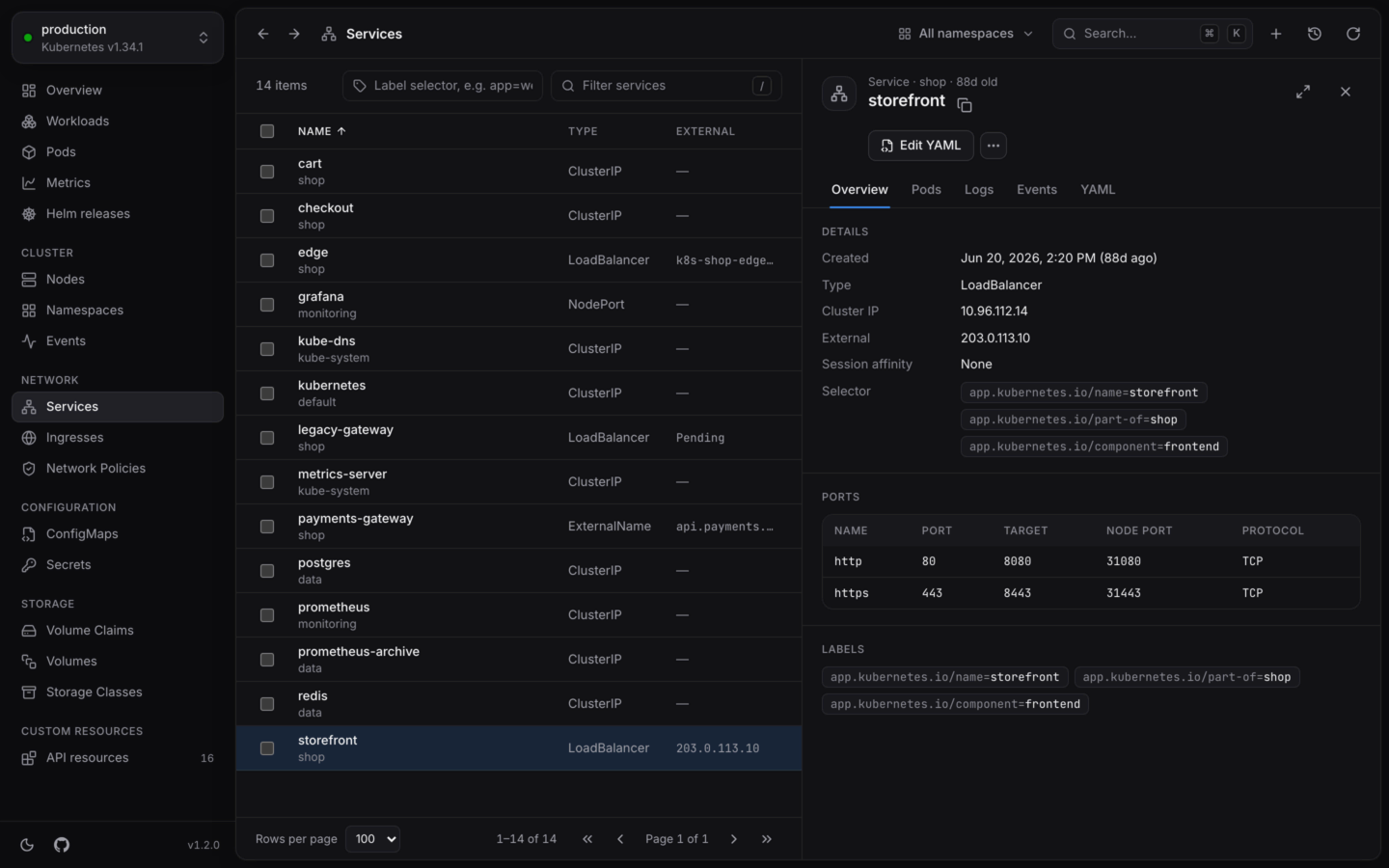
Open a service to see:
* **Details**: its type, cluster IP, external address, session affinity and selector.
* **Ports**: each port's name, port, target, node port and protocol.
* **Pods**: the pods its selector matches, failing ones first. If this list is empty, the service has nowhere to send traffic.
* **Logs**: the logs of every pod behind it, merged in the order they were written. Handy for following a request across replicas. See [Logs](/debug/logs).
* **Events** and **YAML**.
### Reach a service from your computer
Desktop app
**Forward a port…** on a service listens on a port on your computer and passes connections to the service's first ready pod, like `kubectl port-forward service/web 8080:80`. It works for services with a selector. See [Port forwarding](/debug/port-forwarding).
## Ingresses
Open an ingress for its class, address and TLS hosts, and its **Rules**: each host and path, and the service and port it sends traffic to (`web:80`).
Using the Gateway API or Istio instead? Their kinds, like `HTTPRoute`, `Gateway` and `VirtualService`, have views with the columns and links that matter for them. See [Built-in views](/custom-resources/built-in-views).
## Network policies
Open a policy for the pods it applies to (its **Pod selector**, or *All pods in namespace*), its policy types, and how many ingress and egress rules it has. The rules themselves are in **YAML**.
Reach a pod or service on localhost.
ConfigMaps, Secrets, volumes and storage classes.
This documentation is built and hosted on [Mintlify](https://mintlify.com), a developer documentation platform.