> ## Documentation Index
> Fetch the complete documentation index at: https://docs.kubestacks.com/llms.txt
> Use this file to discover all available pages before exploring further.
# Workloads
> Every Deployment, StatefulSet, DaemonSet, Job and CronJob in one list, with the ones in trouble first.
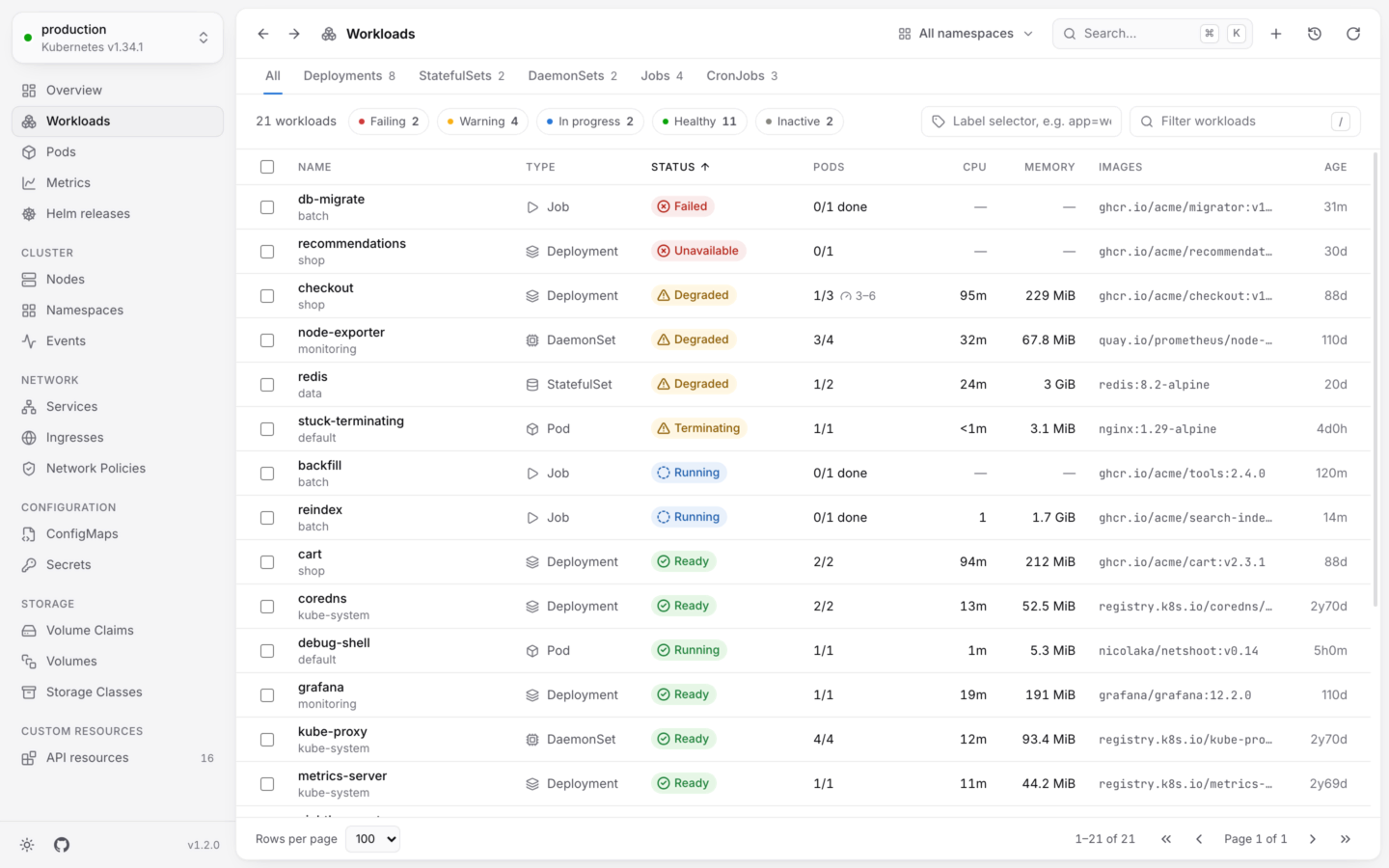
**Workloads** lists everything that runs pods, whatever its kind, so a failing Job and a degraded Deployment sort to the top together. Open it from the sidebar, with G then W, or with ⌘2 in the desktop app (Ctrl2 on Windows and Linux).
 ## What's in the list
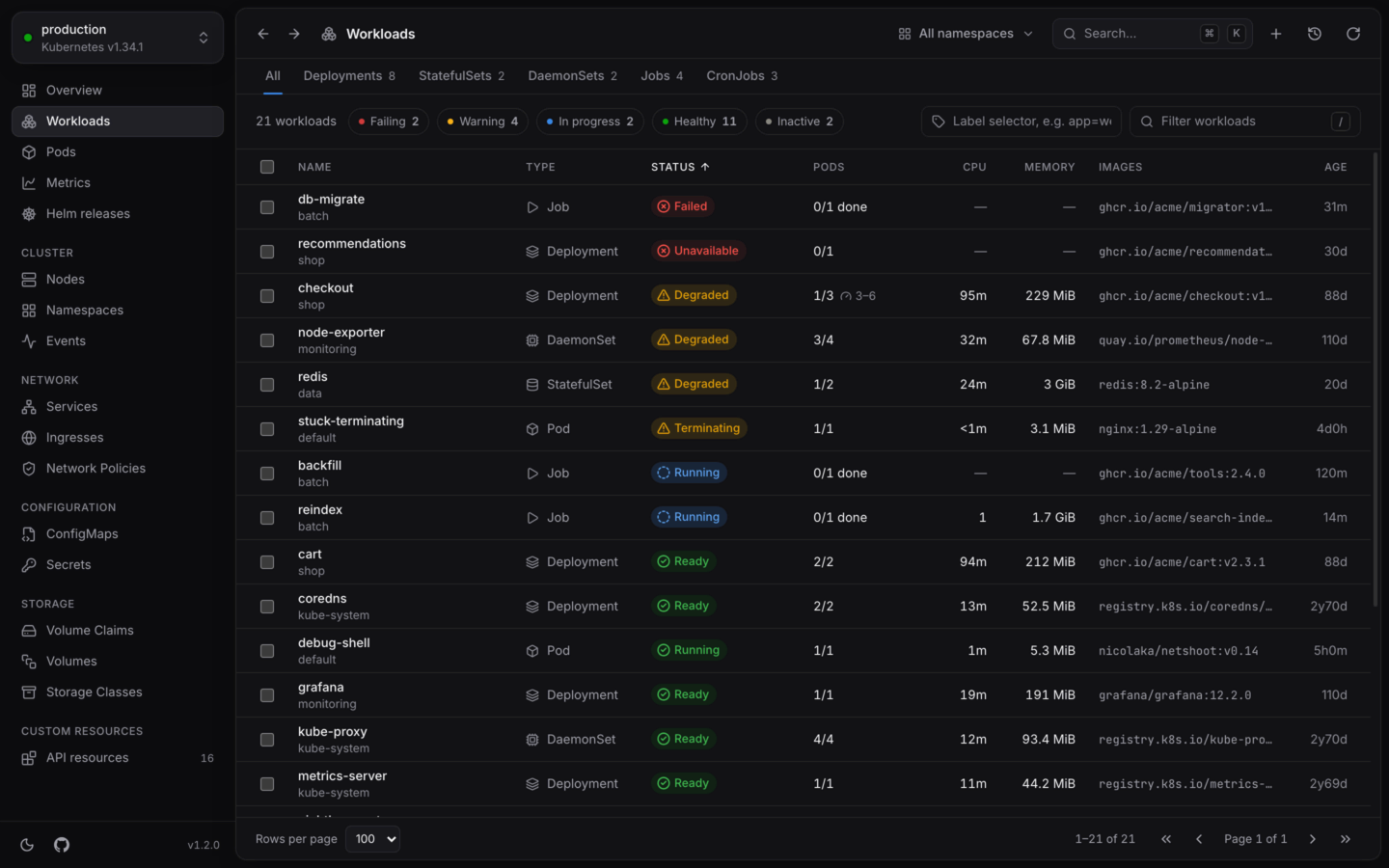
Every Deployment, StatefulSet, DaemonSet and CronJob, plus the Jobs, ReplicaSets and pods that nothing manages.
Objects that only exist to run another are left out, so each workload appears once: the ReplicaSets a Deployment runs, and the Jobs a CronJob starts. The **Jobs** tab still lists every Job, the command palette (⌘K) finds any ReplicaSet, and every pod links to what controls it.
| Column | Shows |
| - | - |
| **Name** | The workload's name, with its namespace when you're looking at all of them |
| **Type** | Deployment, StatefulSet, DaemonSet, Job, CronJob, ReplicaSet or Pod |
| **Status** | Its [health](/explore/health), like Ready, Degraded or Failed |
| **Pods** | Ready pods of those wanted (`1/3`), for Jobs how many are done (`0/1 done`), and for CronJobs how many runs are active. An autoscaler's range follows, like `2–10`. |
| **CPU**, **Memory** | Live usage added up over the workload's pods, when [metrics-server](/metrics/live-usage) is there |
| **Images** | The container images it runs |
| **Age** | How long ago it was created |
Lists sort by status first, the most urgent at the top. Click any column to sort by it instead.
## One kind at a time
The tabs above the list show each kind on its own, with a count, and with the columns that matter for that kind:
| Tab | Columns | Shortcut |
| - | - | - |
| **All** | The list above | G W |
| **Deployments** | Ready, Images | G D |
| **StatefulSets** | Ready, Images | G S |
| **DaemonSets** | Ready, Images | G A |
| **Jobs** | Completions, Duration | G J |
| **CronJobs** | Schedule (in words), Next run, Last run, Active | G C |
ReplicaSets and HorizontalPodAutoscalers have lists of their own too. They aren't in the sidebar, so find them by name in the command palette.
## Narrow it down
* **Health.** The chips above the list (**Failing**, **Warning**, **In progress**, **Healthy**, **Inactive**) show only workloads in that state. Pick several to combine them.
* **Filter.** Press / and type. **Filter workloads** matches names, namespaces, kinds, labels written as `key=value`, and images, so `nginx:1.27` finds everything running that image.
* **Label selector.** Type a selector like `app=web,tier!=cache` and press ↵. The cluster does the filtering, which helps in big clusters.
More in [Finding things](/explore/finding-things).
## Open a workload
Click a row, or move to it with ↑ ↓ and press ↵. Its details open next to the list.
## What's in the list
Every Deployment, StatefulSet, DaemonSet and CronJob, plus the Jobs, ReplicaSets and pods that nothing manages.
Objects that only exist to run another are left out, so each workload appears once: the ReplicaSets a Deployment runs, and the Jobs a CronJob starts. The **Jobs** tab still lists every Job, the command palette (⌘K) finds any ReplicaSet, and every pod links to what controls it.
| Column | Shows |
| - | - |
| **Name** | The workload's name, with its namespace when you're looking at all of them |
| **Type** | Deployment, StatefulSet, DaemonSet, Job, CronJob, ReplicaSet or Pod |
| **Status** | Its [health](/explore/health), like Ready, Degraded or Failed |
| **Pods** | Ready pods of those wanted (`1/3`), for Jobs how many are done (`0/1 done`), and for CronJobs how many runs are active. An autoscaler's range follows, like `2–10`. |
| **CPU**, **Memory** | Live usage added up over the workload's pods, when [metrics-server](/metrics/live-usage) is there |
| **Images** | The container images it runs |
| **Age** | How long ago it was created |
Lists sort by status first, the most urgent at the top. Click any column to sort by it instead.
## One kind at a time
The tabs above the list show each kind on its own, with a count, and with the columns that matter for that kind:
| Tab | Columns | Shortcut |
| - | - | - |
| **All** | The list above | G W |
| **Deployments** | Ready, Images | G D |
| **StatefulSets** | Ready, Images | G S |
| **DaemonSets** | Ready, Images | G A |
| **Jobs** | Completions, Duration | G J |
| **CronJobs** | Schedule (in words), Next run, Last run, Active | G C |
ReplicaSets and HorizontalPodAutoscalers have lists of their own too. They aren't in the sidebar, so find them by name in the command palette.
## Narrow it down
* **Health.** The chips above the list (**Failing**, **Warning**, **In progress**, **Healthy**, **Inactive**) show only workloads in that state. Pick several to combine them.
* **Filter.** Press / and type. **Filter workloads** matches names, namespaces, kinds, labels written as `key=value`, and images, so `nginx:1.27` finds everything running that image.
* **Label selector.** Type a selector like `app=web,tier!=cache` and press ↵. The cluster does the filtering, which helps in big clusters.
More in [Finding things](/explore/finding-things).
## Open a workload
Click a row, or move to it with ↑ ↓ and press ↵. Its details open next to the list.
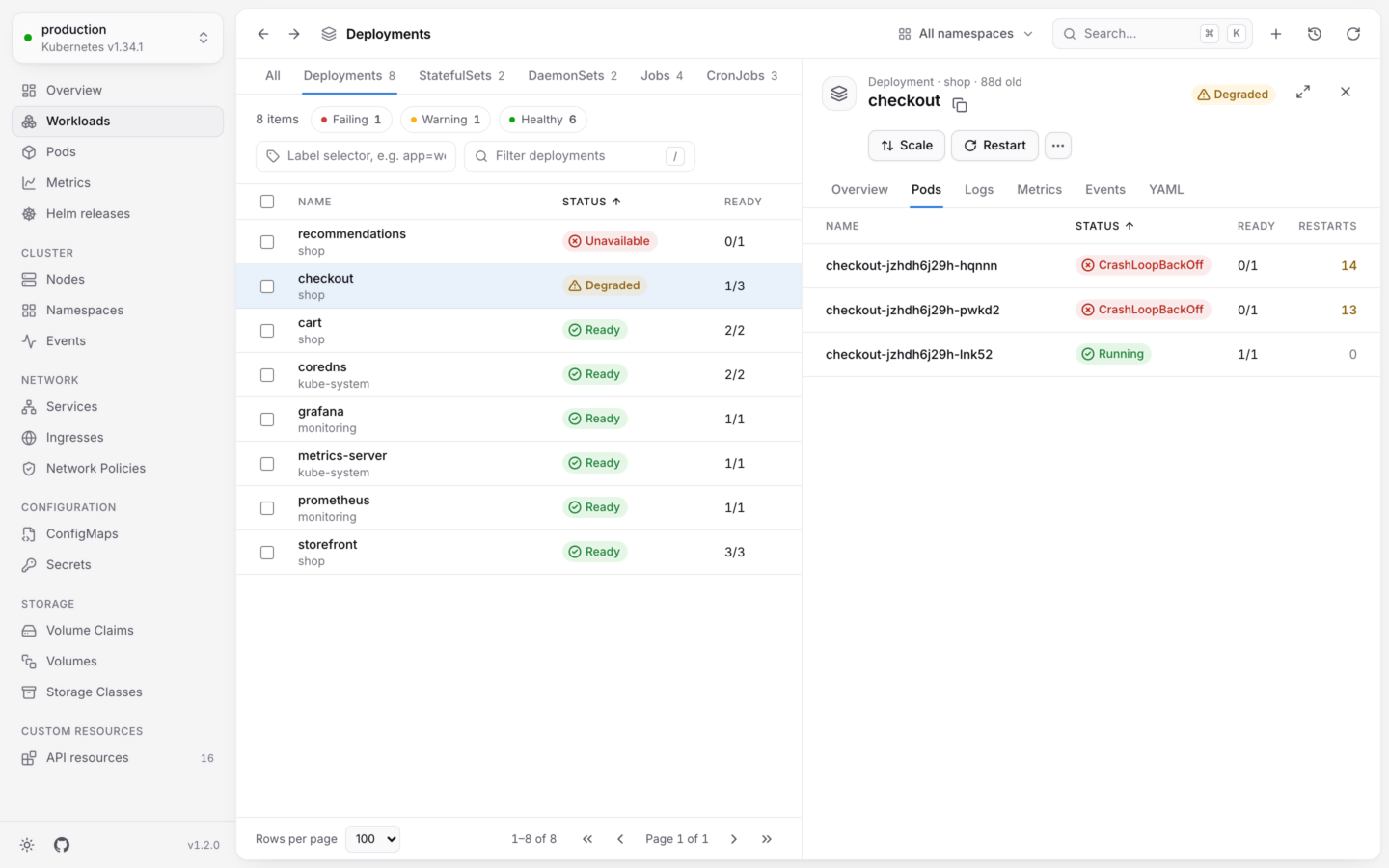
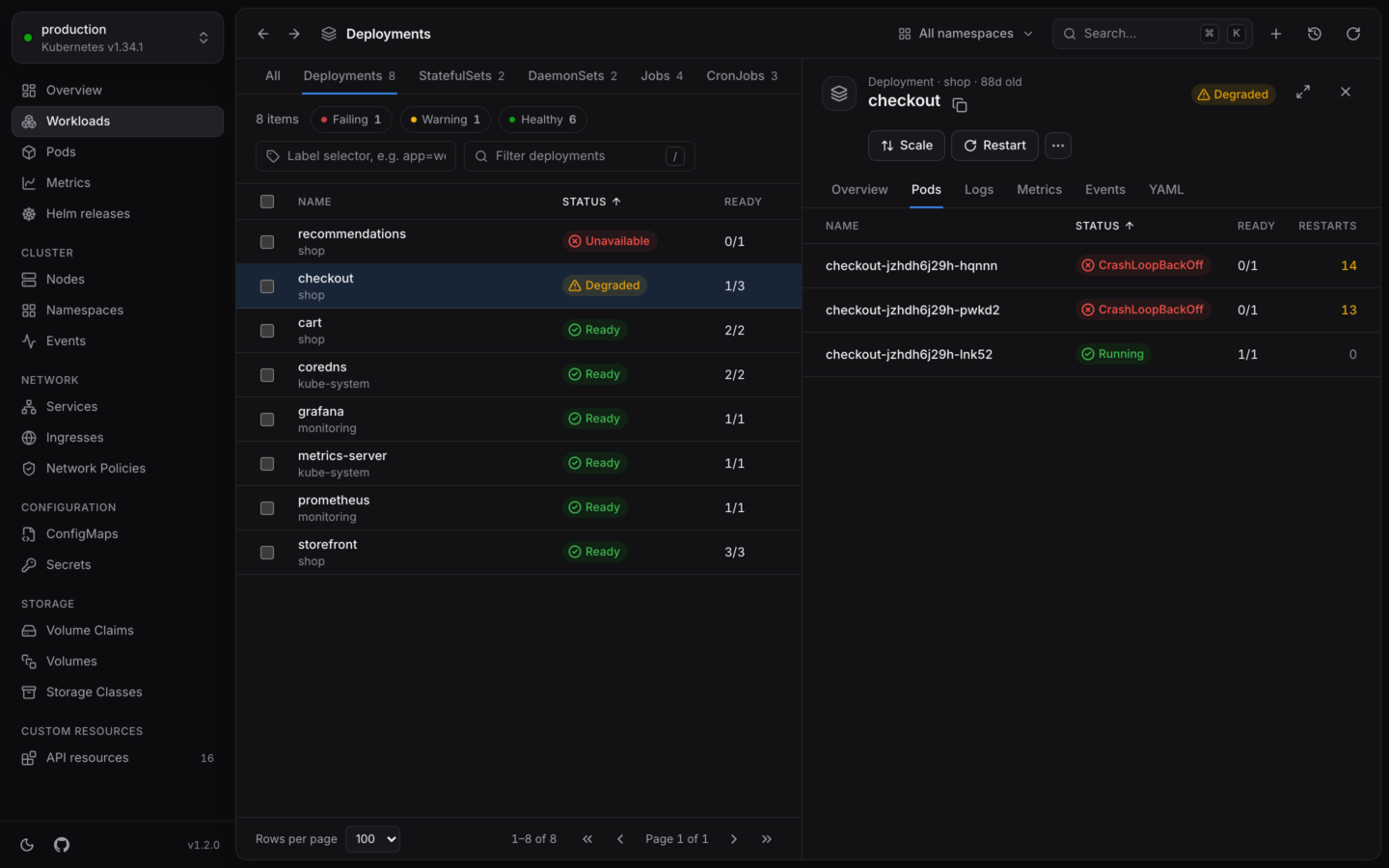 * **Overview** has its replicas (wanted, updated and available), update strategy and selector, the images in its pod template, its conditions, labels and annotations.
* **Pods** lists the pods it runs, failing ones first.
* **Logs** streams every pod's logs, merged in the order they were written. See [Logs](/debug/logs).
* **Metrics** charts its CPU and memory over time against its requests and limits. See [Usage history](/metrics/usage-history).
* **Events** and **YAML**, as for any object.
A CronJob has no **Pods** or **Logs** tab: its runs are Jobs, which the **Jobs** tab lists.
The panel is described in full in [Object details](/explore/details).
## Act on it
The common actions are buttons in the panel, and the rest are under **⋯** (or press .): scale, restart, change images, roll back, pause a rollout, run a CronJob now, suspend or resume. Right-click a row for the same actions without opening it.
To act on several at once, pick rows with X or Shift-click, and choose from the bar that appears. Restart, suspend, resume and delete work across kinds.
Everything you can do to a workload, and what each does.
Restart, suspend or delete many workloads together.
This documentation is built and hosted on [Mintlify](https://mintlify.com), a developer documentation platform.
* **Overview** has its replicas (wanted, updated and available), update strategy and selector, the images in its pod template, its conditions, labels and annotations.
* **Pods** lists the pods it runs, failing ones first.
* **Logs** streams every pod's logs, merged in the order they were written. See [Logs](/debug/logs).
* **Metrics** charts its CPU and memory over time against its requests and limits. See [Usage history](/metrics/usage-history).
* **Events** and **YAML**, as for any object.
A CronJob has no **Pods** or **Logs** tab: its runs are Jobs, which the **Jobs** tab lists.
The panel is described in full in [Object details](/explore/details).
## Act on it
The common actions are buttons in the panel, and the rest are under **⋯** (or press .): scale, restart, change images, roll back, pause a rollout, run a CronJob now, suspend or resume. Right-click a row for the same actions without opening it.
To act on several at once, pick rows with X or Shift-click, and choose from the bar that appears. Restart, suspend, resume and delete work across kinds.
Everything you can do to a workload, and what each does.
Restart, suspend or delete many workloads together.
This documentation is built and hosted on [Mintlify](https://mintlify.com), a developer documentation platform.