

kubectl edit, with two differences: the cluster checks your change before it’s saved, and a change someone made in the meantime is caught instead of overwritten.
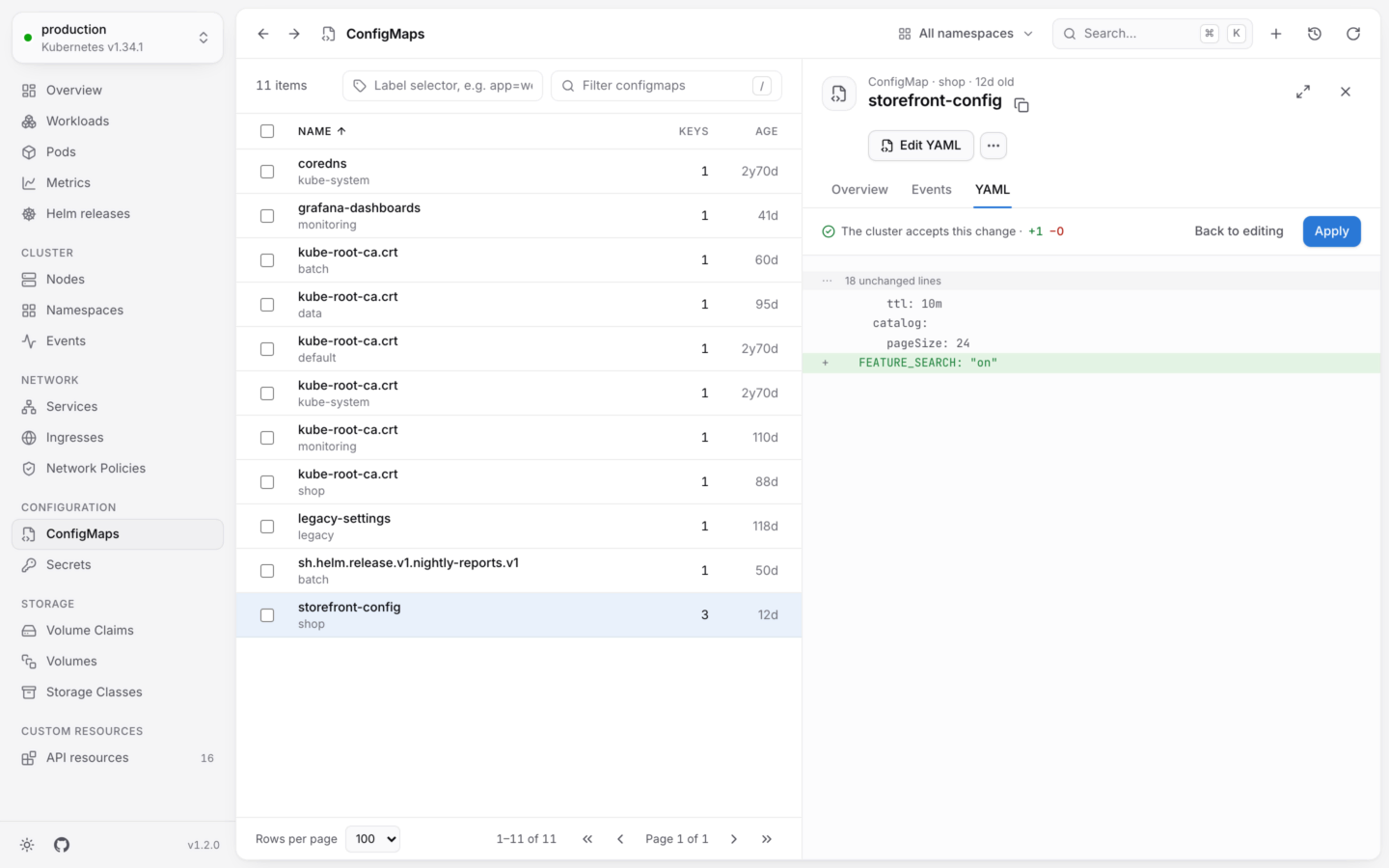
A change to a ConfigMap's YAML, checked by the cluster and shown before it's saved.
Edit an object
1
Open the editor
Open the object, then choose Edit YAML from its actions, or Edit in its YAML tab.
2
Make your change
The editor shows the object without its
status and the metadata the server manages (uid, creationTimestamp, generation, resourceVersion and managedFields), so you only see what you can change.3
Review it
Press ⌘S, or choose Review changes. KubeStacks sends your change to the cluster as a dry run: the API server checks it the way it checks a real save, and saves nothing.If the cluster accepts it, you see The cluster accepts this change, with how many lines were added and removed, and a diff. If it doesn’t, you see why, and you’re still editing.
4
Apply it
Choose Apply to save the change, or Back to editing to keep working on it. Cancel leaves the editor without saving.
kubectl edit, with the object, its namespace and the context. Like every change, the edit shows up in the Activity log.
In the editor
- The YAML must describe a single object.
- The editor has search and undo, and Tab indents.
- Esc doesn’t close the panel while you’re editing, so you won’t lose your change by accident. The panel stays on the YAML tab until you apply or cancel.
- Your edit applies to the version you started from, even while the panel refreshes around you.
When someone else changed it
KubeStacks saves your edit against the version you started from, the same waykubectl does. If the object changed in the meantime (someone else edited it, or a controller updated it), the cluster refuses the save, and KubeStacks says so instead of overwriting their change.
Choose Start over from the latest to load the current version, then make your change again.
Secrets
Secret values are base64-encoded in the cluster. In the editor, you edit them as text:- Values that are text appear decoded, under
stringData. - Values that aren’t valid text (a binary keystore, say) stay base64-encoded, under
data. - When you save, KubeStacks encodes everything back into
data.
Permissions and read-only clusters
Editing needsupdate on the object. Without it, Edit is disabled and says why. In a read-only cluster, editing is off, and so are the dry runs behind Review changes.
Create from YAML
New objects, from a template or pasted, checked before any is created.
Changing things safely
The guard rails around every change.