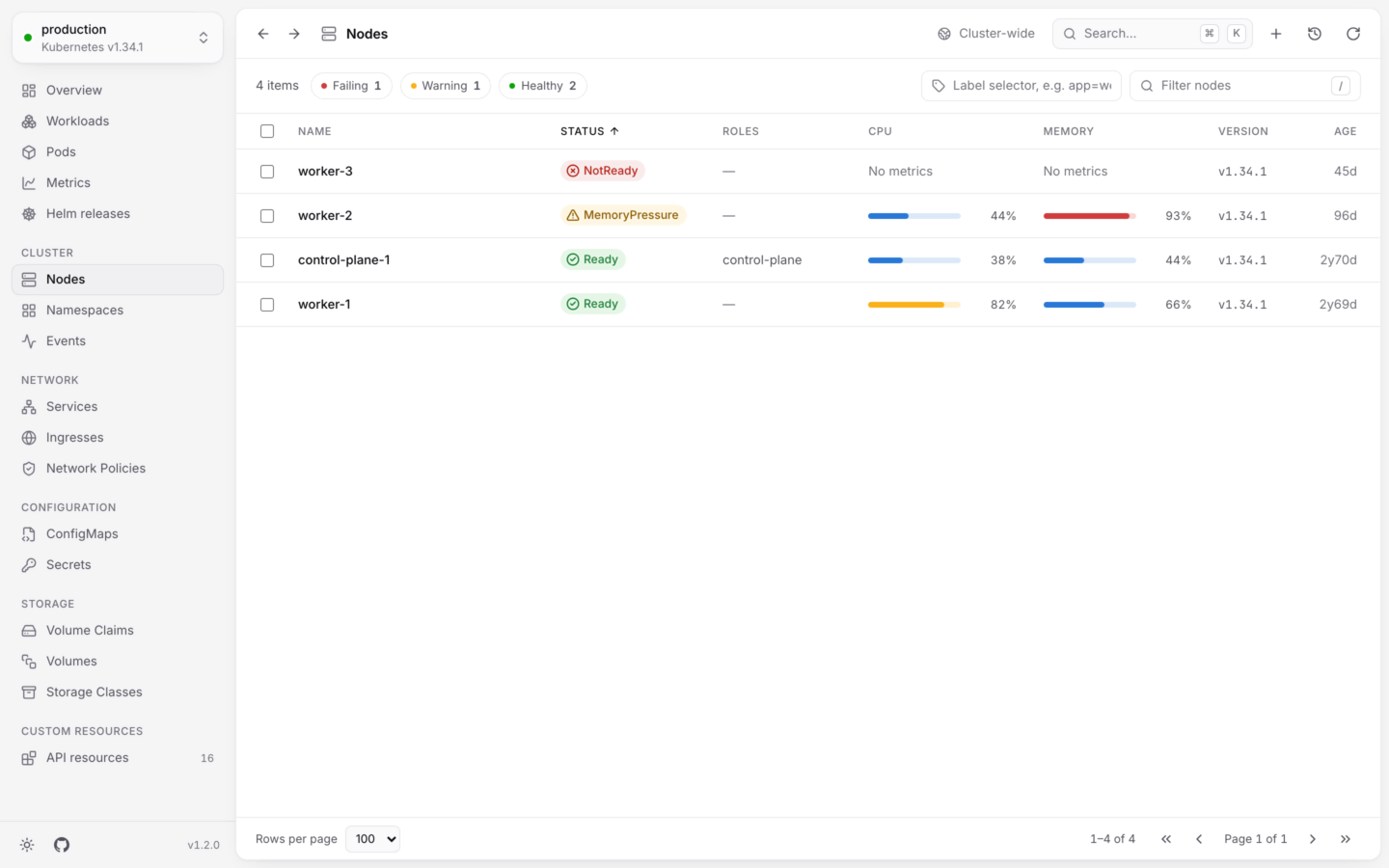
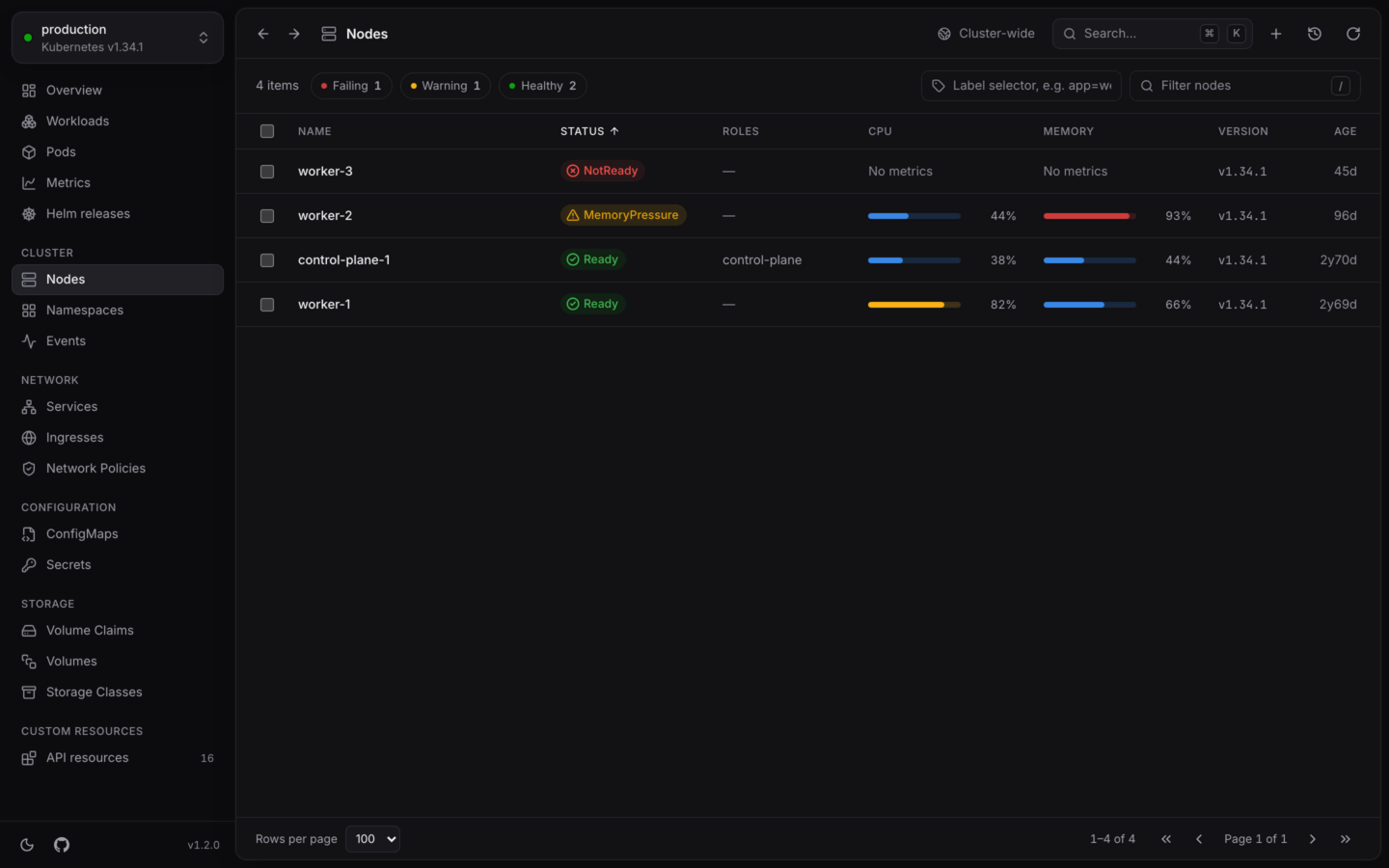
Nodes lists the machines in the cluster, with the ones in trouble first. Open it from the sidebar under Cluster, with G then N, or with ⌘5 in the desktop app (Ctrl5 on Windows and Linux). Nodes aren’t in a namespace, so the list always shows all of them.
The Nodes list: four nodes with their roles, CPU and memory meters and versions, one under memory pressure and one not ready.The Nodes list: four nodes with their roles, CPU and memory meters and versions, one under memory pressure and one not ready.

Nodes, their usage and conditions: one under memory pressure, one not ready.

The list

A node’s status is one of:

Open a node
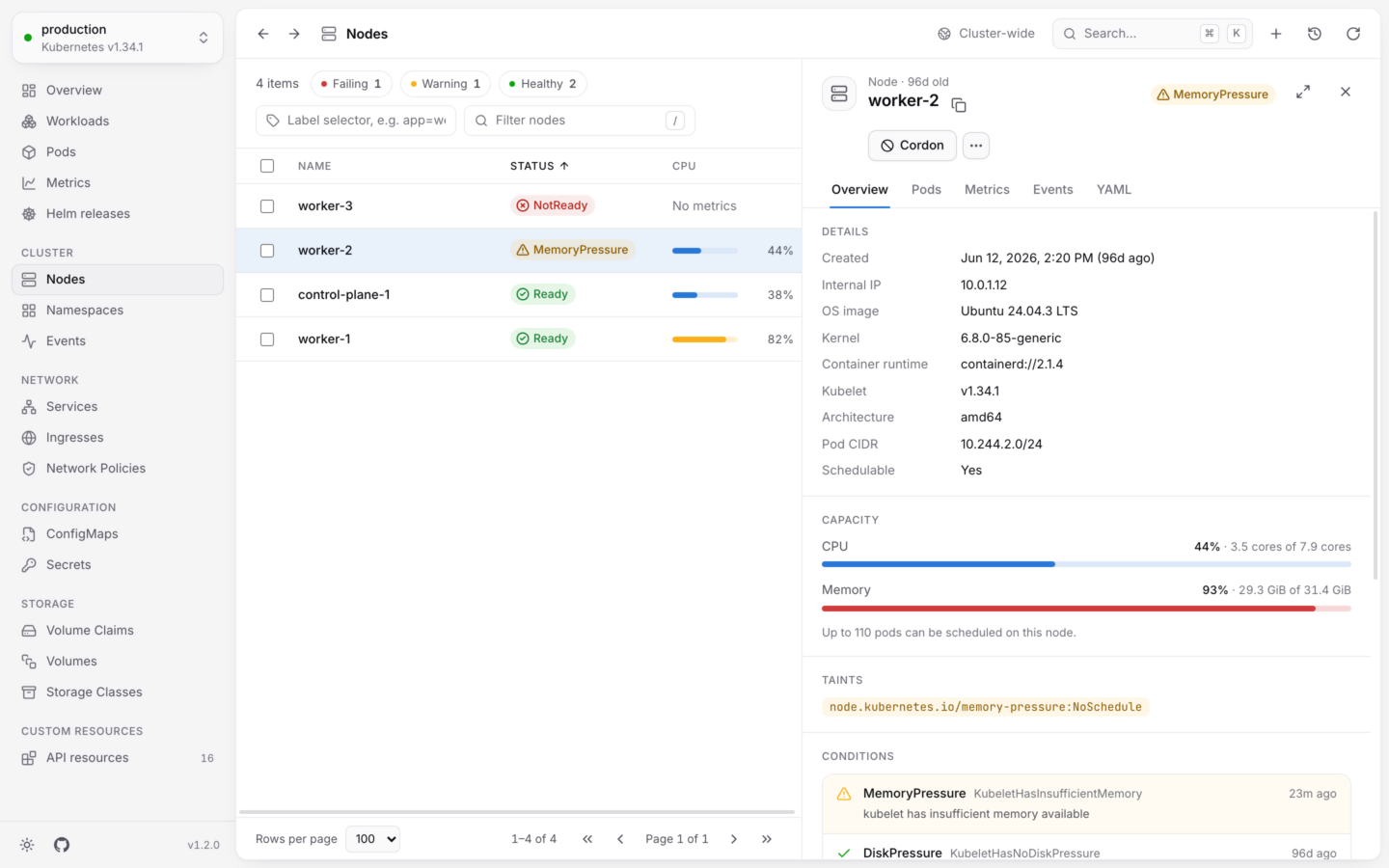
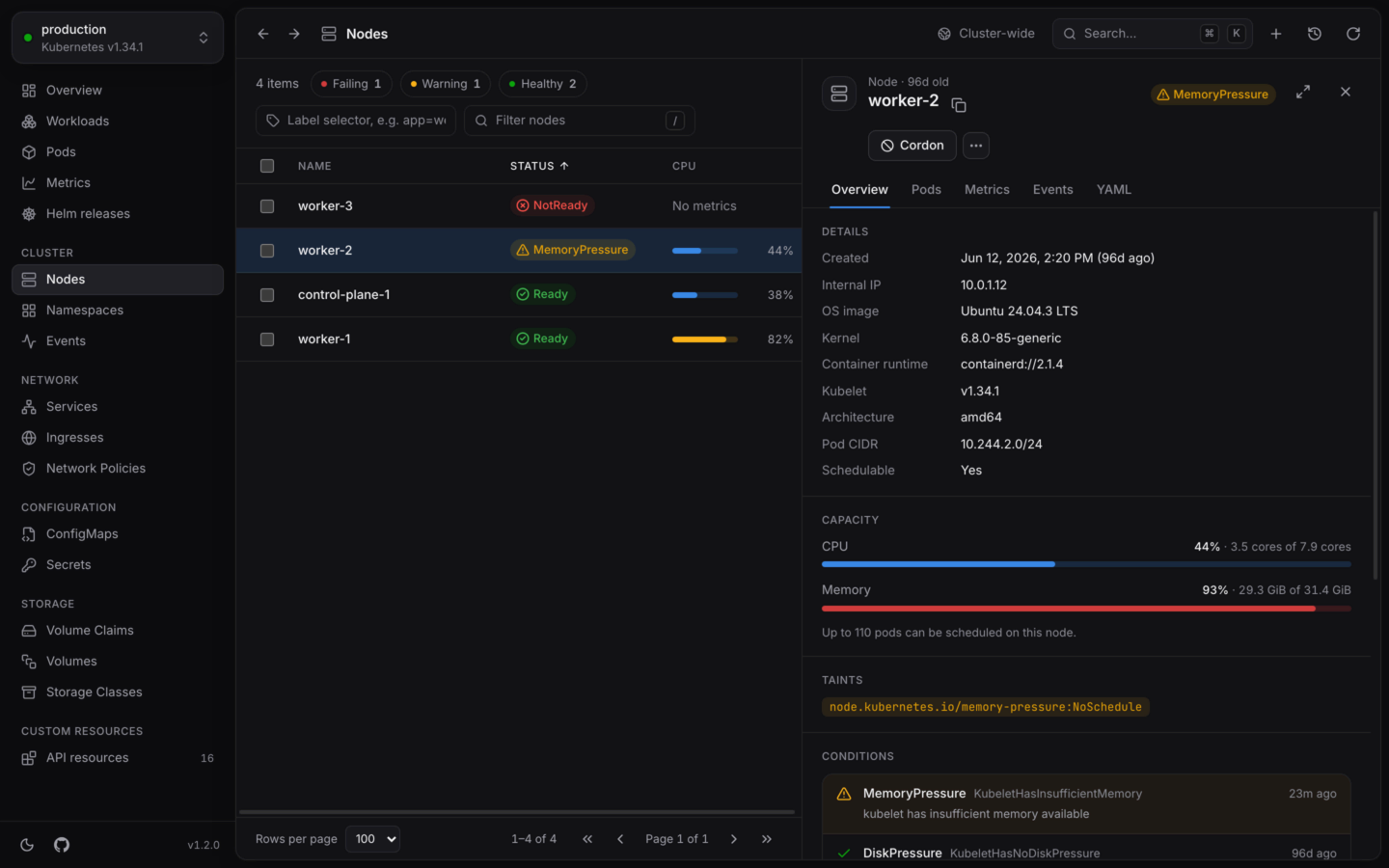
A node under memory pressure: its details, CPU and memory against capacity, its taint and conditions, and a Cordon button.A node under memory pressure: its details, CPU and memory against capacity, its taint and conditions, and a Cordon button.

A node under memory pressure, with what runs on it and ways to drain it.

Overview has:
  • Details: its internal IP, OS image, kernel, container runtime, kubelet version, architecture, pod CIDR, and whether it’s Schedulable.
  • Capacity: CPU and memory in use against what’s allocatable, and how many pods can be scheduled on it.
  • Taints, when it has any.
  • Conditions, labels and annotations.
Pods lists every pod running on the node, from every namespace, failing ones first. Metrics charts its CPU and memory over time against its capacity, when KubeStacks has found your usage history. Events and YAML are there as for any object. A node has no Logs tab: that would be everything on it.

Take a node out of service

A drain, like kubectl drain --ignore-daemonsets, leaves DaemonSet pods and static pods where they are. Two options cover the pods that would otherwise stop it:
  • Delete local data, for pods with emptyDir volumes, whose data is lost (--delete-emptydir-data).
  • Evict pods without a controller, for pods that nothing will recreate (--force).
Drain stays disabled until the options the node’s pods need are ticked. Evictions respect PodDisruptionBudgets, and the dialog shows each pod’s progress, with Retry for any a budget refused. In a cluster named like production, you type the node’s name first. Pick several nodes with X to cordon or uncordon them together. More in Actions by kind.

Actions by kind

Every action, with what it runs and what it can undo.

Live usage

Where the CPU and memory figures come from.