

kubectl logs -f. For a workload, you get every pod’s logs in one list, in the order the lines were written, each marked with its pod.
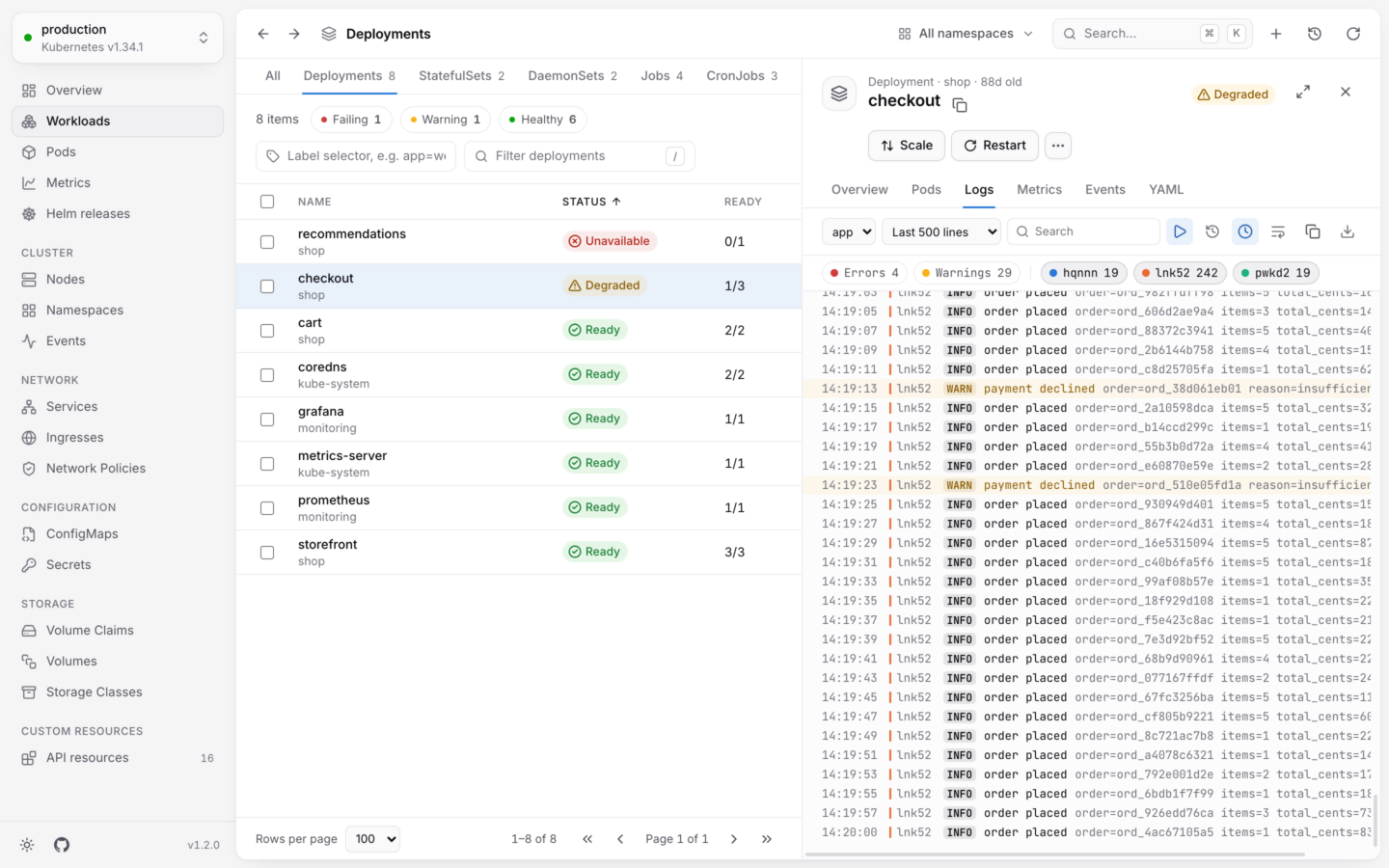
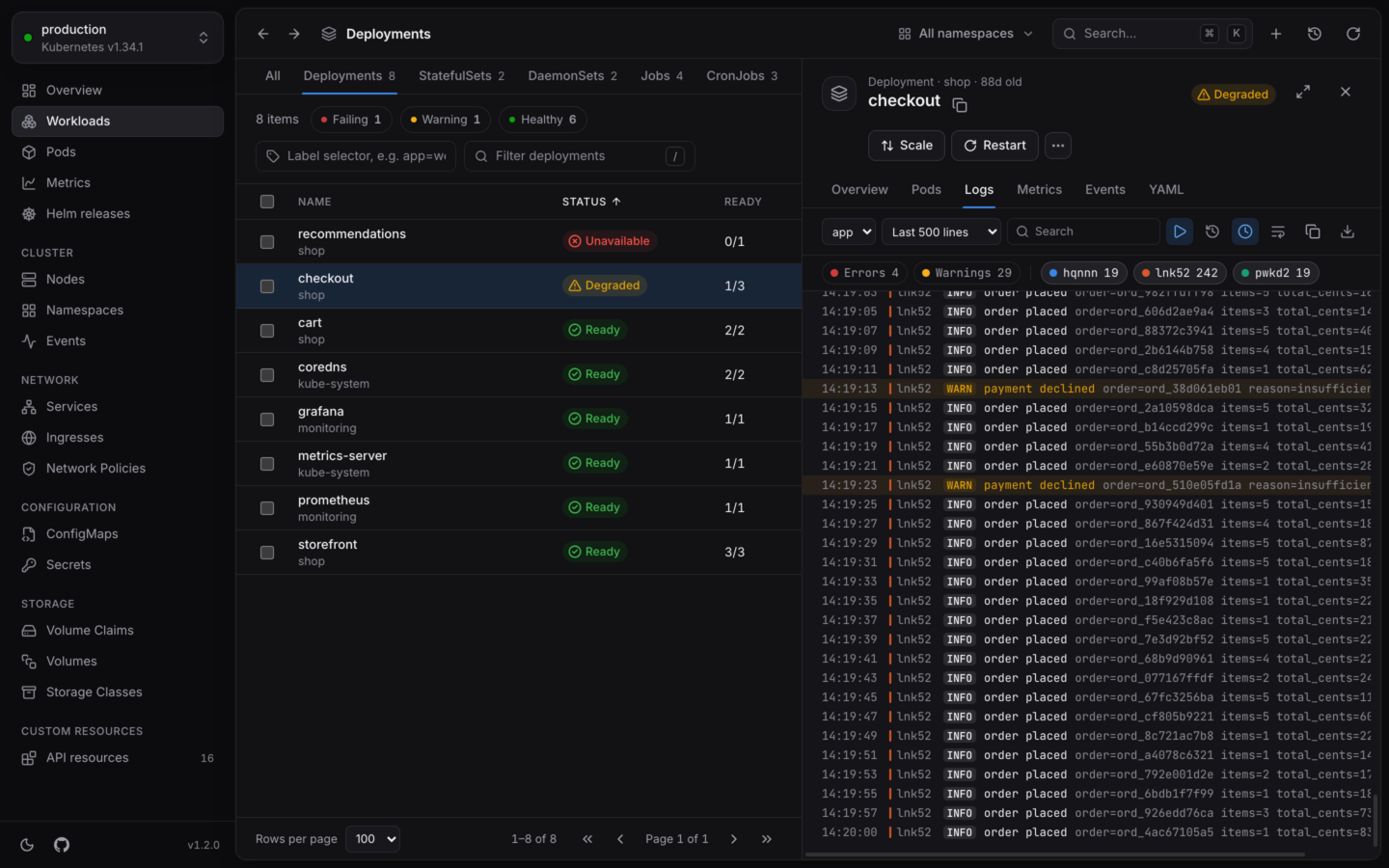
The logs of every pod of a deployment, merged as they happened.
Where logs are
Open an object, then its Logs tab:- A pod shows its own containers’ logs.
- A Deployment, StatefulSet, DaemonSet, ReplicaSet, Job or Service shows the logs of all its pods, merged. So do custom workloads that scale pods, like Argo Rollouts.
Pick what to show
Read them
When you scroll up to read, the view stops jumping to new lines, and Jump to latest takes you back down.
- Colors. The colors and styles apps print with ANSI escape codes show as they would in a terminal: 16, 256 and true colors, bold, dim, italic and underline. Other escape codes are left out.
- JSON lines. Structured lines show their level as a badge, then the message, then the other fields, dimmed, as
key=value.
Search and filter
- Search finds lines that contain what you type, ignoring case. Matches are highlighted, with a count of the lines shown. Esc clears it.
- Errors and Warnings appear when there are such lines, with a count. Press one to show only those lines; with neither pressed, every line shows.
- A chip per pod appears when there are several pods, with the part of the names they share left out. Press one to leave that pod’s lines out; it shows crossed out until you press it again.
level field when it has one ("level":"warn" in JSON, or level=WARN). Otherwise it looks for words in the line:
Copy and download
Copy logs and Download take the lines you’re looking at, filters applied, one per line, each starting with the time it was written. When the lines come from several pods or containers, each also names its pod and container:checkout.log. The desktop app asks where to save them, starting in your Downloads folder; in a browser, they download like any other file.
Limits
- 20,000 lines. The view keeps the latest 20,000 lines, and drops the oldest. It says so when it does.
- 30 streams. A workload’s logs stream from at most 30 containers at once. With more, a note says so: pick a container, or open a single pod, to see the rest.
When the stream drops
While following, if a container restarts or the connection drops, KubeStacks tries again after a few seconds, picking up from the last line it has, without repeating lines. The view says Trying again… meanwhile. Problems that trying again won’t fix, like expired credentials or missing permissions, are shown instead.Reading logs needs
get on pods/log in the pod’s namespace. Logs work in read-only clusters.Shells and debug containers
When the logs aren’t enough: a terminal in the container.
Health and status
Why a pod is failing, before you open its logs.